


Plus500 Trading & Investing
4.4677.00 Reviews
App Specs
- Version
- 26.8.0
- Updated On
- License
- Free
- Downloads
- 500,000+
- Developer
- Plus500 Trading
- Categories
- Finance
- Platform
- Android
Screenshots



 Analysis by AppCompare
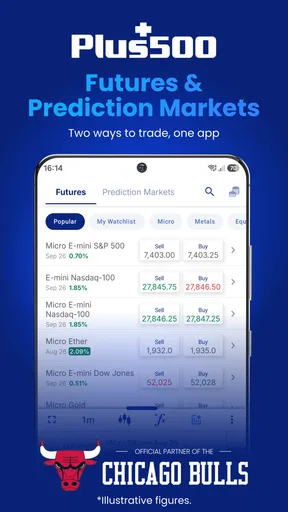
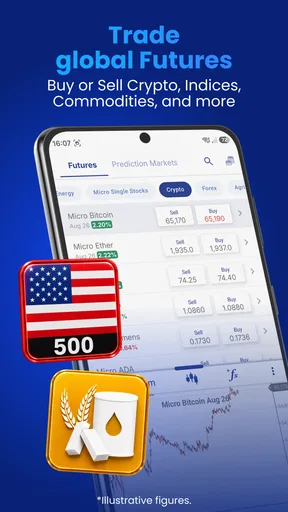
I approached Plus500 Trading & Investing as a finance app for people who want market access from a phone rather than a traditional desktop platform. It is developed by Plus500 Trading, is free to install, and focuses on trading and investing across instruments such as Bitcoin, Ethereum, foreign exchange, the S&P 500, and the Nasdaq. That range makes it sound suitable for many kinds of users, but the important question is not simply how many markets appear on the screen. It is whether the app matches the way you actually want to manage risk, research opportunities, and make decisions.
My overall impression is that this is better suited to an active, self-directed user than to someone looking for a simple savings app or a long-term portfolio that can be left alone. The interface is built around market attention: checking prices, comparing instruments, deciding whether a position makes sense, and keeping an eye on what happens afterward. That can be useful when you already understand your plan. It can also encourage impulsive decisions if you open it without one.
What the free download really offers
The app itself is free, so the initial barrier is low. You can install it on a compatible Android device without paying for the download, and its age classification is Everyone. The current Android release is version 26.8.0, while the minimum supported operating system is Android 8.0. Those details make it accessible to people using older phones, although a newer device will usually provide a more comfortable experience when several market screens are open.
Free access should not be confused with free trading. The download price tells me what it costs to get the application, not what every transaction, position, conversion, spread, or account activity may cost. In a finance app, that distinction matters more than the install price. Before committing money, I would read the live fee and trading terms inside the account-opening flow and examine how the relevant instrument is priced. The app can be free to obtain while the financial activity carried out through it still carries costs or risks.
I also would not treat the free download as a promise that every market or account function has identical conditions. Bitcoin, foreign exchange, an index such as the S&P 500, and a technology-focused index can behave very differently. Their trading hours, volatility, pricing, and practical suitability are not interchangeable. The right way to judge value is to identify the instruments you genuinely understand, then check the specific terms attached to them rather than assuming the broad market list tells the whole story.
The app has built a visible user base, with more than half a million installs and an average rating of 4.4 from roughly 3.8 thousand ratings. I see that as evidence that the mobile experience works for a meaningful number of people, not as proof that it is suitable for every investor. Ratings often reflect ease of use and general satisfaction, while the difficult questions in trading are personal: how much loss can you tolerate, how often will you act, and whether the product structure fits your goals.
Where the value appears in daily use
The strongest value is convenience. A phone-based trading workspace can be useful when you want to review a market during a commute, check a position before a meeting, or compare a currency pair with a major index without sitting at a full computer. I like the idea of having those markets in one place, especially for a user who follows several asset classes and does not want separate specialist apps for every type of instrument.
Worth Reading Before You Choose

EA SPORTS FC Mobile 26 Is a Bigger Football Game, but It Takes Time

Flipboard Shows What News Apps Must Do Beyond the Feed

Switching to Android Auto Means Rethinking Your Driving Routine

Google Calendar Makes a Crowded Week Easier to Manage

Ludo King Makes the Most of the Minutes Between Plans

Baby Panda World Brings Quick Play to Modern Phones, but Its Game Library Feels Busy
That convenience becomes more valuable when it supports a repeatable routine. For example, I would rather open the app at a planned time, review only the instruments on my watchlist, check the reason for each possible trade, and then stop than keep refreshing prices throughout the day. The mobile format makes quick checks easy, but the same ease can turn into overtrading. My practical tip is to write down an entry reason, an exit condition, and the maximum loss you accept before placing anything. The app can help you act; it cannot supply discipline.
Another useful workflow is separating observation from action. I would first use the market list to identify what deserves attention, then inspect one instrument in detail, and only afterward decide whether an order belongs in the plan. This small pause is important on a phone, where a fast tap can feel like progress even when the underlying analysis is incomplete. A broad selection of markets is valuable only when it helps you filter, not when it gives you more reasons to trade.
The app’s coverage also gives it an advantage over a basic single-market application. If your interest moves between digital assets, currencies, and large equity benchmarks, one account environment may feel more manageable than switching between several apps. That is a genuine convenience for an active user. The trade-off is that a broad menu can make a beginner believe that every listed market is equally understandable. It is not. I would begin with one market type, learn how its price moves and costs work, and expand only when the original process feels controlled.
How it compares with simpler alternatives
Compared with a conventional banking app, this is a more focused choice for someone who wants direct market activity rather than merely checking balances or making ordinary payments. A banking app may feel calmer and more familiar for saving, transferring money, or holding a long-term cash reserve. Plus500 Trading & Investing makes more sense when monitoring markets and taking responsibility for decisions are central to the experience.
Compared with a long-term investing platform, the difference is one of mindset as much as interface. A portfolio-oriented service may encourage regular contributions, diversified holdings, and fewer decisions. This app’s appeal is stronger for users who want to follow individual instruments and make their own calls. If your goal is to build wealth slowly with minimal intervention, a simpler investment service may be a better fit, even if it feels less exciting.
It also differs from a specialist charting or research tool. A dedicated analysis platform may offer a deeper environment for studying markets, while a trading app is more useful when you want the path from observation to action to be close at hand. I would not assume that one mobile app can replace every research resource. A sensible workflow may involve doing serious preparation away from the order screen and using this app mainly for monitoring and execution.
The most important comparison, therefore, is not app against app. It is active trading against patient investing. If you prefer to make frequent judgments, follow market news, and accept that your results depend heavily on your own decisions, the format may suit you. If you want automation, broad diversification, or a low-maintenance approach, the usual alternative is likely to deliver better value for your time and temperament.
Trade-offs I noticed before recommending it
The first trade-off is speed versus reflection. A mobile interface is excellent for access, but access can become pressure. Prices move while you are distracted, and notifications or a sudden market change can tempt you into decisions you would not make after careful review. I would disable anything that encourages constant checking unless you have a specific reason to monitor it. A trading app should fit your plan, not dictate your attention.
The second is breadth versus concentration. Having Bitcoin, Ethereum, foreign exchange, the S&P 500, the Nasdaq, and other instruments available can feel powerful, but it also creates a large decision space. Beginners may jump from one volatile market to another simply because the previous trade was disappointing. My less obvious recommendation is to keep a personal “do not trade” list alongside your watchlist. Knowing which products you will ignore is often more protective than adding more candidates.
The third is free installation versus uncertain total value. Since the download is free, the app is easy to try, but the financial value depends on the costs and conditions of the activity you choose. I would not judge it by the absence of an upfront purchase price. I would compare the relevant trading terms with those of other services, consider how often I plan to transact, and calculate whether the convenience is worth the likely friction for my own style. The answer can be different for an occasional user and an active one.
There is also a learning curve that the cleanest interface cannot remove. Understanding an instrument is more than recognizing its name on a list. A currency market, a cryptocurrency, and an index each involve different sources of movement and different emotional pressures. I would practice navigating the app before funding an account, make sure I understand how to review an open position, and confirm the details of any order before submitting it. That preparation is especially important for someone used to ordinary shopping apps, where a mistaken tap is usually easy to reverse.
Another limitation is the small-screen environment itself. A phone is convenient, but it is not always ideal for comparing several time frames, reading detailed information, or reviewing a complicated decision. I would avoid making a large or unfamiliar trade while rushed, tired, or relying only on a quick glance. For serious analysis, a larger screen or separate research process may be more comfortable. The app’s strength is access, not necessarily replacing every part of a complete investment setup.
A realistic routine for a cautious user
Imagine I have a busy workday and want to follow a major index without turning the app into a constant distraction. I would check the broader market context before work, note the price level or event that would change my view, and close the app. Later, I would reopen it only to see whether that condition occurred. If it did not, I would do nothing. If it did, I would review the full trade details rather than reacting to a color change on the screen.
That routine shows where the app can deliver practical value: it reduces the distance between a planned decision and the market. It also shows why the app is not automatically valuable just because it is convenient. If I have no written reason for opening it, I am more likely to browse instruments, chase movement, and confuse activity with progress. The best feature in this scenario is not a particular button; it is the ability to keep a controlled process close by.
For someone new to trading, I would start even more slowly. I would learn the vocabulary of the chosen market, review the account and instrument terms, and use the interface only after I could explain what I intended to do and what would prove me wrong. I would also decide in advance how much money, if any, I could afford to lose. The app is not a substitute for financial education, and its Everyone age classification should not be interpreted as a statement that trading is appropriate for every age or financial situation.
Who is likely to get the most value
I would recommend trying it to an independent user who wants a mobile-first way to follow several markets and is prepared to manage decisions personally. It is particularly appealing if you already understand the difference between watching an instrument and owning an investment, and if you are willing to inspect the conditions attached to each action. The free download makes experimentation with the interface straightforward, provided you treat real-money activity as a separate and more serious step.
It can also suit an experienced user who values having cryptocurrency, foreign exchange, and major equity benchmarks available in one place. The benefit is not simply variety; it is the ability to compare where your attention belongs without maintaining several unrelated mobile workflows. Even then, I would keep the number of active ideas small. More markets do not automatically mean better diversification, especially when several positions may respond to the same economic event.
I would steer a beginner toward extra caution rather than an immediate recommendation. If you are curious and willing to learn, the app may be a useful environment for understanding how market-focused mobile tools work. If you are looking for a guaranteed return, a quick way to solve money problems, or an app that makes risk disappear, skip it. No interface can turn uncertain markets into a predictable income source.
I would also suggest skipping it if your priority is passive, long-term investing with very few decisions. A service designed around recurring contributions, diversified funds, or automated portfolio management may align more naturally with that goal. Likewise, if you need extensive research tools, tax planning support, or a highly specialized professional workflow, I would compare dedicated alternatives before deciding that one mobile trading app is enough.
My final buy-or-skip verdict
There is no purchase decision in the usual app-store sense because the download is free. The real decision is whether the trading access and mobile convenience justify the costs, attention, and risk involved in using the financial products available through it. That value cannot be judged from the download price alone. I would inspect the current terms for the exact instrument and activity I planned to use, then compare them with a simpler investing platform and, if necessary, a more research-oriented tool.
My verdict is a cautious recommendation for self-directed market users, not a blanket recommendation for everyone. Plus500 Trading & Investing gives a phone user a practical way to keep several major markets within reach, and its established presence is reassuring enough to make a trial of the interface reasonable. The strongest use case is a person with a defined process who wants access without carrying a laptop.
I would skip it for anyone who mainly wants saving, automatic investing, or a hands-off portfolio. I would also skip it if the temptation to check prices repeatedly is likely to affect your decisions. In my view, the real value is controlled access, not constant action. If you can set limits, study the specific market you intend to use, and accept that free installation does not mean cost-free trading, this finance app is worth considering. If you cannot, a quieter alternative will probably serve you better.
As a final practical step, I would install it only after deciding what role it should play: market monitor, occasional trading workspace, or part of a broader research routine. That single decision prevents the app from becoming an all-purpose source of financial noise. Used with that boundary, it can be a convenient tool. Used without one, its accessibility may become its biggest weakness.
Pros
- Easy-to-use interface for monitoring markets and open positions.
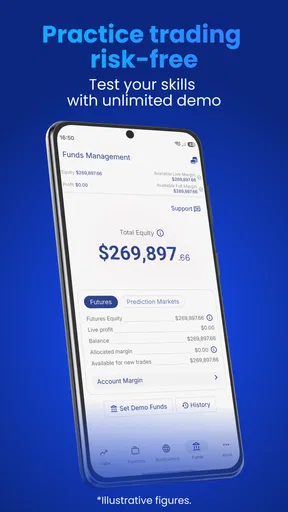
- Demo account lets beginners practice without risking real funds.
- Supports multiple order types
- including stop-loss and take-profit.
- Price alerts help users track selected instruments more conveniently.
- Available on both Android and iOS with a consistent experience.
Cons
- CFD trading involves significant risk and may lead to rapid losses.
- Overnight funding fees can increase the cost of holding positions.
- The platform mainly focuses on CFDs rather than direct asset ownership.
- Some advanced charting and research tools may feel limited for experts.
- Availability of instruments and features varies by country and regulation.
FAQs for Plus500 Trading & Investing
What is Plus500 Trading & Investing?
Plus500 is an online trading and investing platform that provides access to financial markets through its Android, iOS, and web applications. The service is best known for offering contracts for difference (CFDs) on instruments such as stocks, indices, forex, commodities, cryptocurrencies, and ETFs. Availability, products, and account features may vary depending on your country and local regulations.
Is Plus500 suitable for beginners?
The Plus500 app has a relatively clear interface, market search tools, price charts, watchlists, alerts, and a demo account that can help new users become familiar with the platform. However, the simplicity of the design should not be confused with low risk. CFD trading uses leverage and can result in rapid losses, so beginners should study the product carefully and practice with the demo account before using real funds.
What are the main risks and costs of using Plus500?
The most important risk is that leveraged CFD trading can cause you to lose money quickly, and losses may occur even when a market moves only slightly against your position. Depending on the instrument and account, users may encounter spreads, overnight funding charges, currency conversion costs, inactivity fees, or other applicable charges. Review Plus500’s current fee schedule and risk warning before trading.
Does Plus500 offer real stocks or only CFDs?
This depends on the Plus500 service available in your location. In many markets, the platform primarily offers CFDs, which allow users to speculate on price movements without owning the underlying asset. Some regional Plus500 services may provide share dealing or other investment products under separate terms. Before placing an order, check the product description carefully to confirm whether you are buying an asset or trading a derivative.
How do deposits, withdrawals, and account verification work?
To use Plus500 with real money, you generally need to register an account, provide personal information, and complete identity verification in line with financial regulations. Deposits and withdrawals may be supported through different methods depending on your country, and processing times can vary. Withdrawals may require additional confirmation or documentation, so users should make sure their payment details and account information are accurate before funding the account.


